To implement a new document type, follow this procedure:
1. Create a new document type. If you are going to use the system document type, just select it
2. Create a cover sheet for the document. This step can be done later, but creating a cover sheet is optional and depends on the requirements of your business process
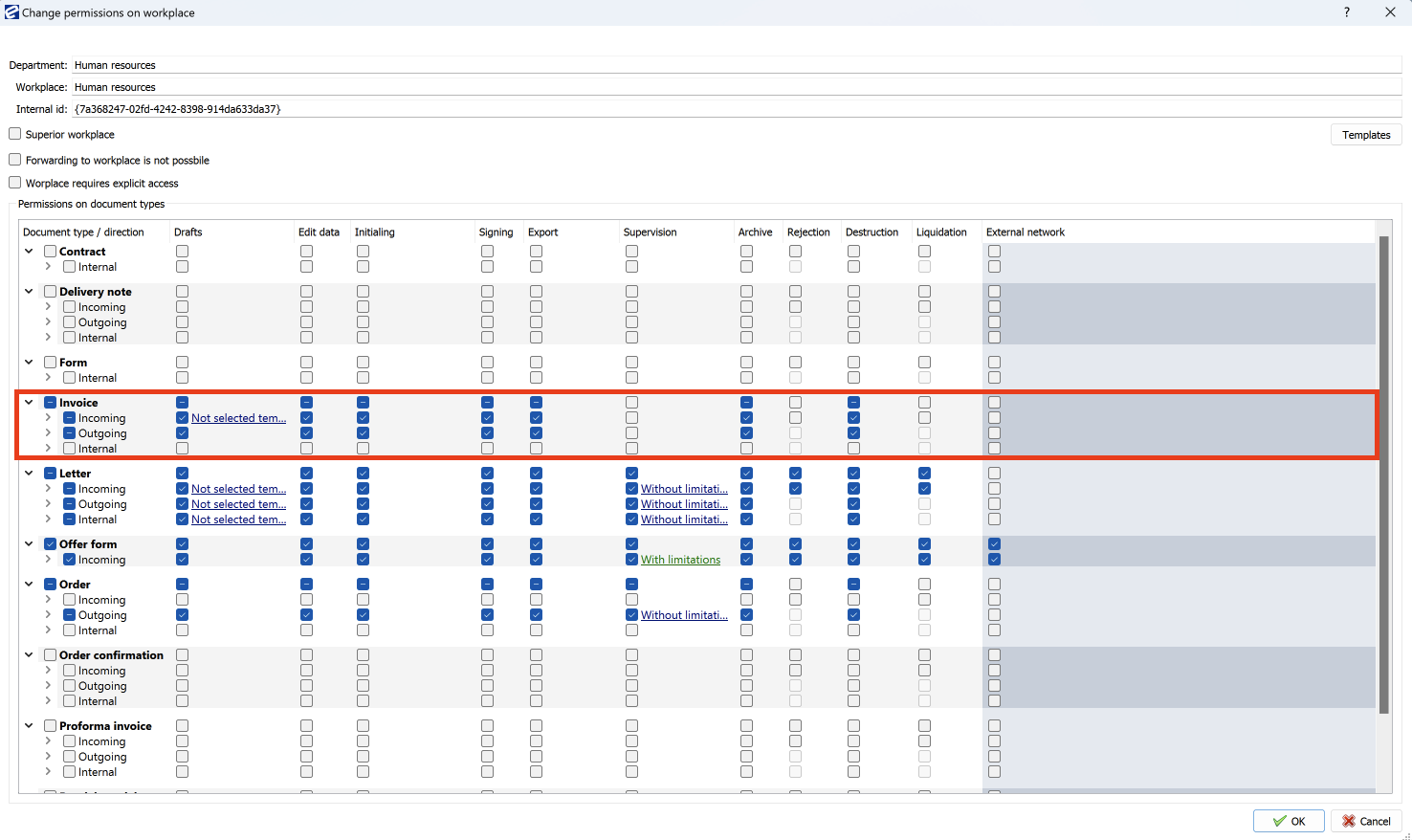
3. Once a document type is created, users have no rights to work with it. Therefore, you must first assign rights to the new document type, assign the rights to the post.
You can edit the rights to work with documents in the menu Administration>Authorisation system>Organisation scheme. Double-click on the desired post to open the edit permissions window, as in the picture below.
4. If you will be capturing the document in the EBA DMS (in the scanner or via an EBA printer), then you must also make settings for capturing this document type in the Administration > Scanner and Capture section of the Data capture.
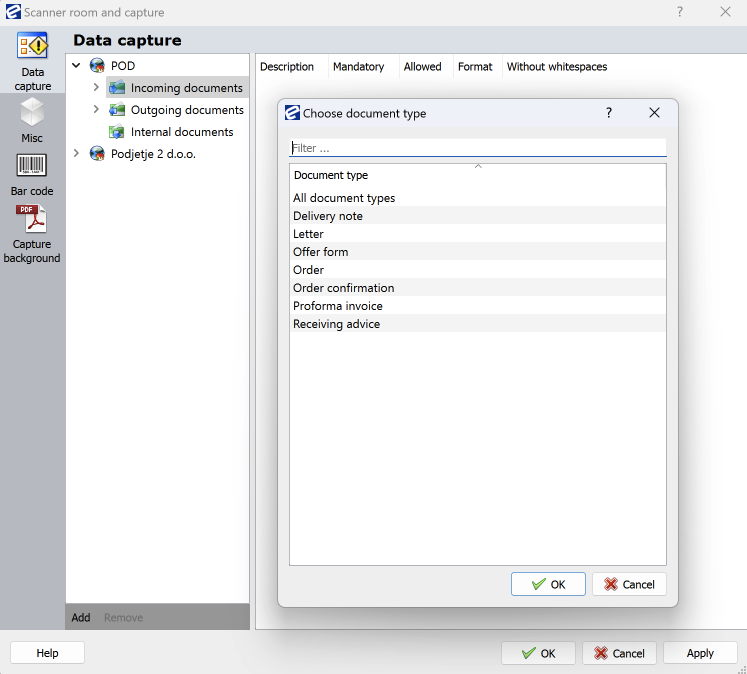
In this dialog, you add the document type you want to capture, grouped according to the direction of your document type.
Highlight the document type according to its direction and click on the Add button.